Zoom In
Punch through the cut into the next shot.
SoftMedHard
WARP ZOOM is a pack of 12 seamless zoom and spin transitions for Premiere Pro. Drag A onto one adjustment layer, B onto the next, and the cut flies. Works in 16:9 and 9:16, with no plugins.
Every transition comes in Soft, Medium and Hard, and each is an A + B pair: A on the outgoing layer, B on the incoming one.
Punch through the cut into the next shot.
Pull back and land wide on the new scene.
A twisting punch-in for high-energy edits.
Spin out of one shot and settle into the next.
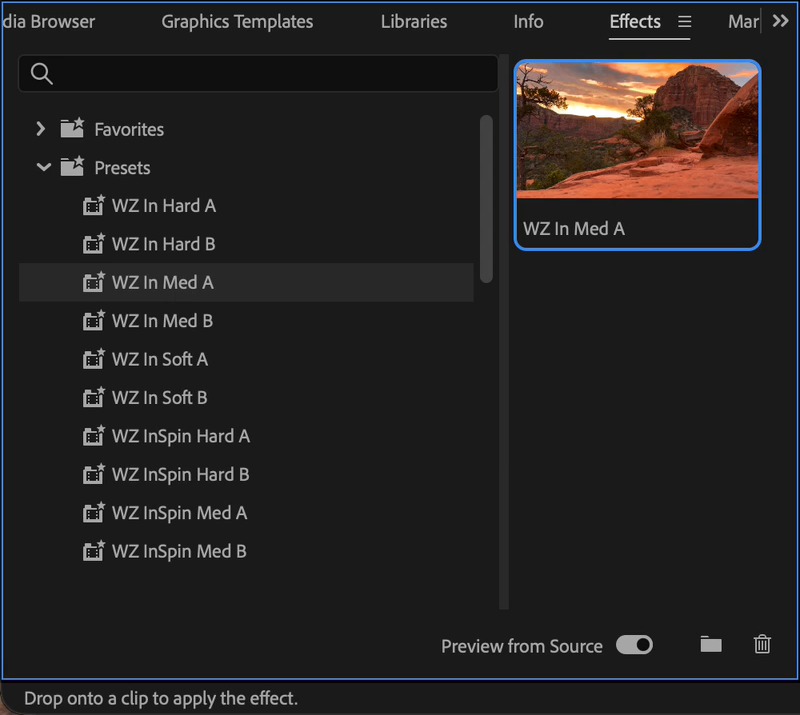
Set the adjustment layers to the length you want, then drop the presets on. The move fits itself to the layer: short for a snap on the beat, long for a glide.
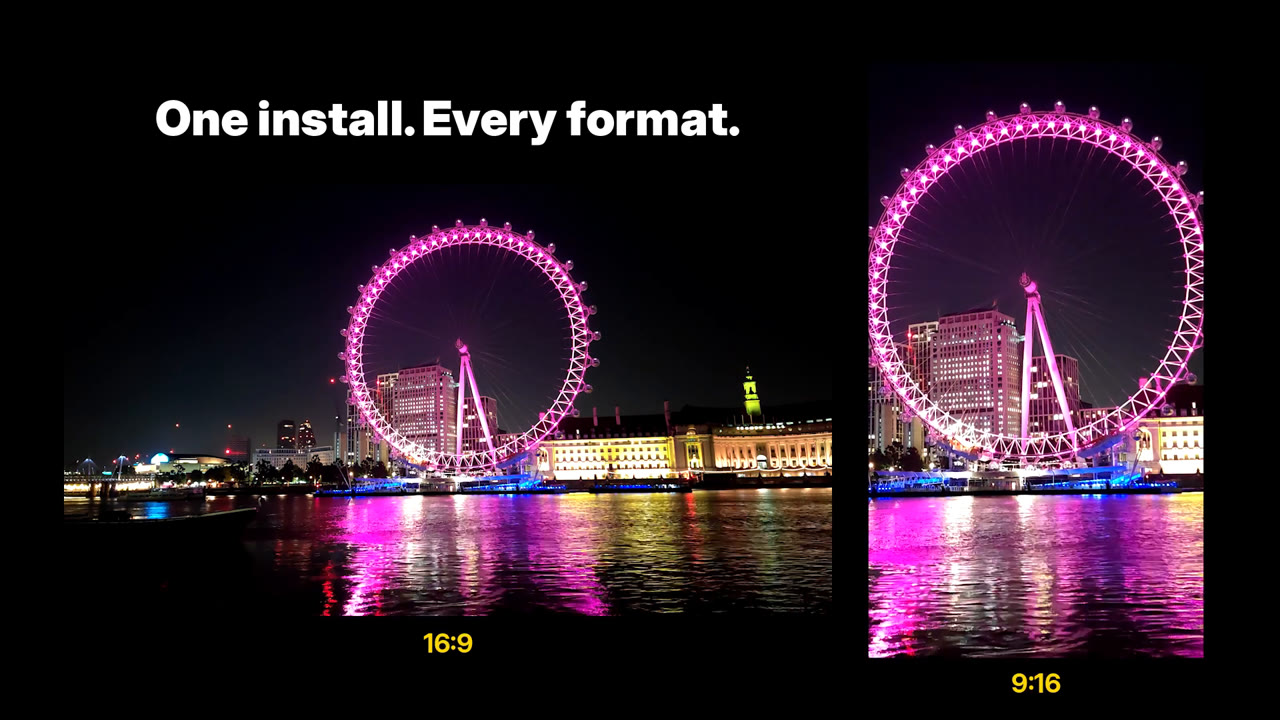
The same presets work on landscape YouTube edits and vertical Reels, TikToks and Shorts. Zoomed edges are mirror-filled, so there are no black borders.
For Adobe Premiere Pro 2026 (v26) or later on Mac. Coming to DaVinci Resolve and Windows soon. Instant download after checkout. The first pack in the WARP series from East Circle.
No. Every preset is built from Premiere Pro's own effects, so it works on any install of Premiere.
Premiere Pro 2026 (v26) or later on Mac; it is tested on v26.5 and v27.0. Import the .prfpset through the Effects panel and the presets appear under Presets.
Not yet. Both are coming soon: Windows once testing is finished, and a DaVinci Resolve edition is in the works.
Yes. The same presets work in 16:9 and 9:16 sequences. Just use an adjustment layer the same size as your sequence; the Starter Project has both.
Yes. Set the two adjustment layers to the length you want before you drop the presets on, and the motion fits that length: 8 frames is a snap, 24 frames is a glide. To change it later, remove the effect, resize the layer and drop the preset on again.
Yes, use the transitions in personal and commercial videos. You can't resell or share the preset files themselves.
Email support@eastcirclehq.com and include your Premiere Pro version.